Saved
Platform
Quiz Maker
AI Quiz Maker
Integrations
Use Cases
Lead generation
Teachers
Ecommerce
Personality Quizzes
Resources
Blog
Documentation
Pricing
Login
Sign Up
Install your quiz on your Shopify website
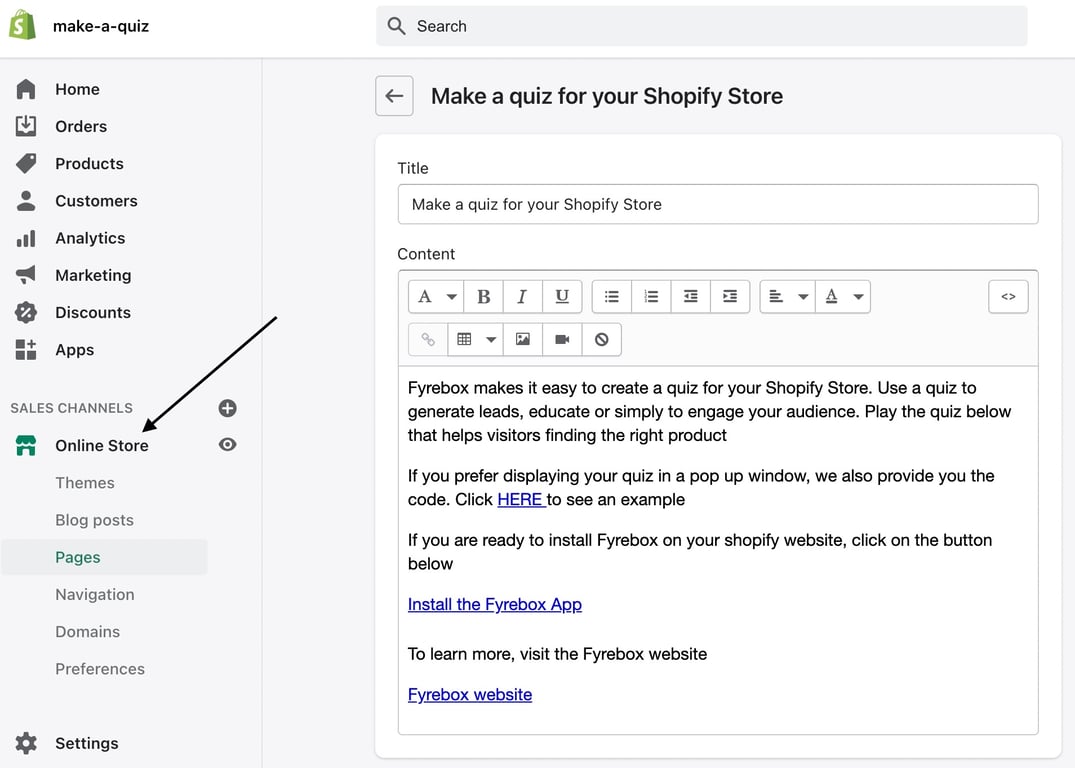
Step 1. Visit the admin section and click on "Online store"
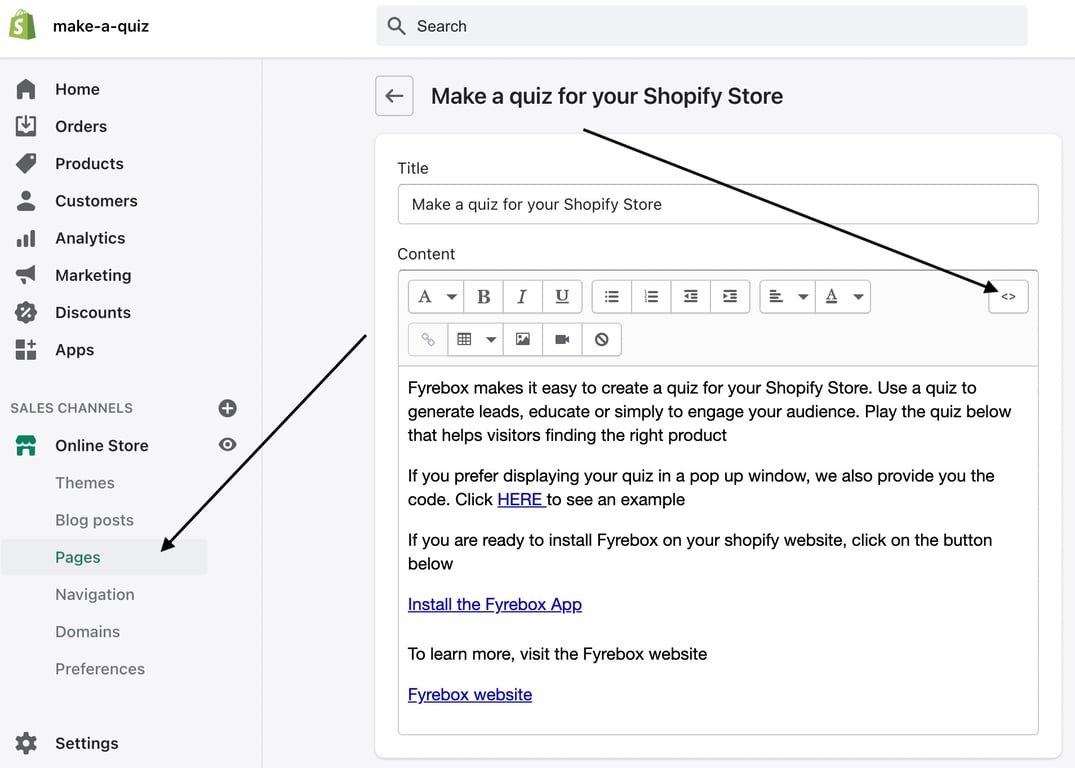
Step 2. Click on "Pages"
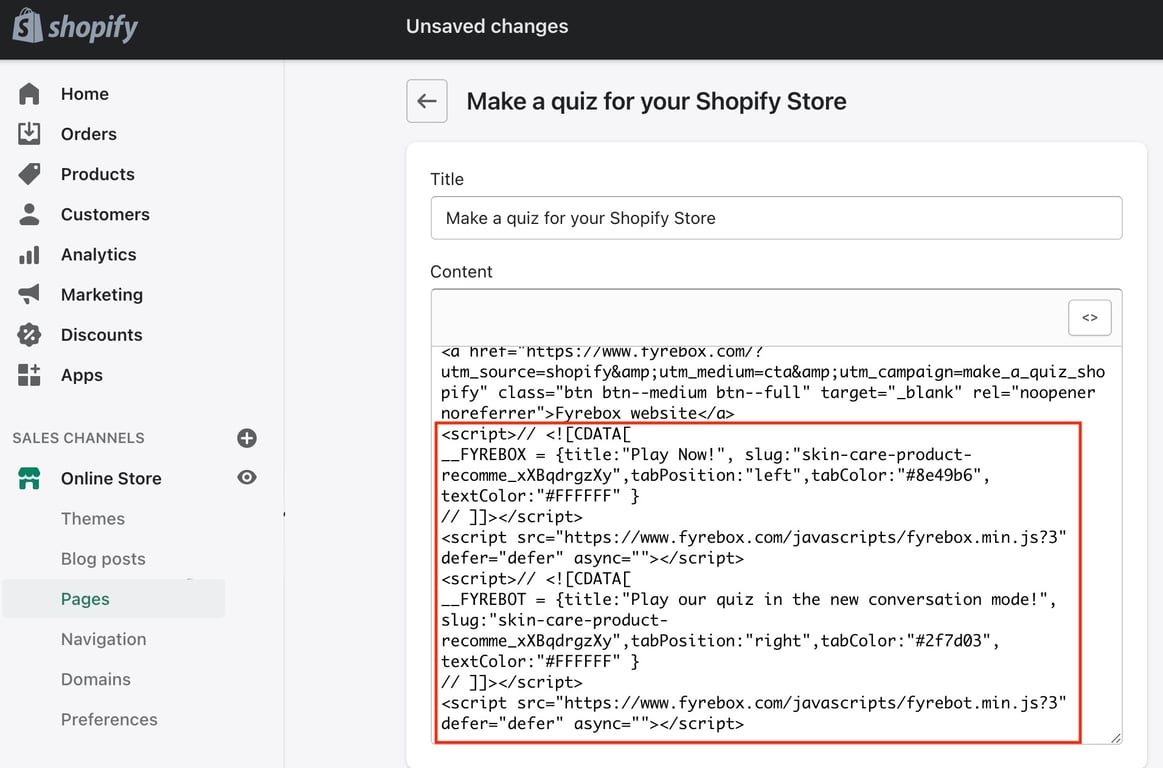
Step 3. Click on the page where you want to display your quiz. Click on the HTML button, and paste the code of your quiz.
Step 4. Save the page and visit your e-commerce website to ensure that your quiz is displayed correctly
Dashboard
Company
Affiliate Program
Integrations
Advertise with Us
Play Online Quizzes Solo or with Friends
Learn
Documentation
Install your quiz on your Shopify website
Install your quiz on your Wix website
Install your quiz on your BigCommerce website
All Rights Reserved. Fyrebox® is a registered trademark of Melvia Pty Ltd.
Terms.
Privacy.
GDPR.